


npltz a terminal-based Nepali calendar (Bikram Sambat) written in Rust using the ratatui. It's designed to be simple: view Nepali dates with AD (English) support in your terminal.
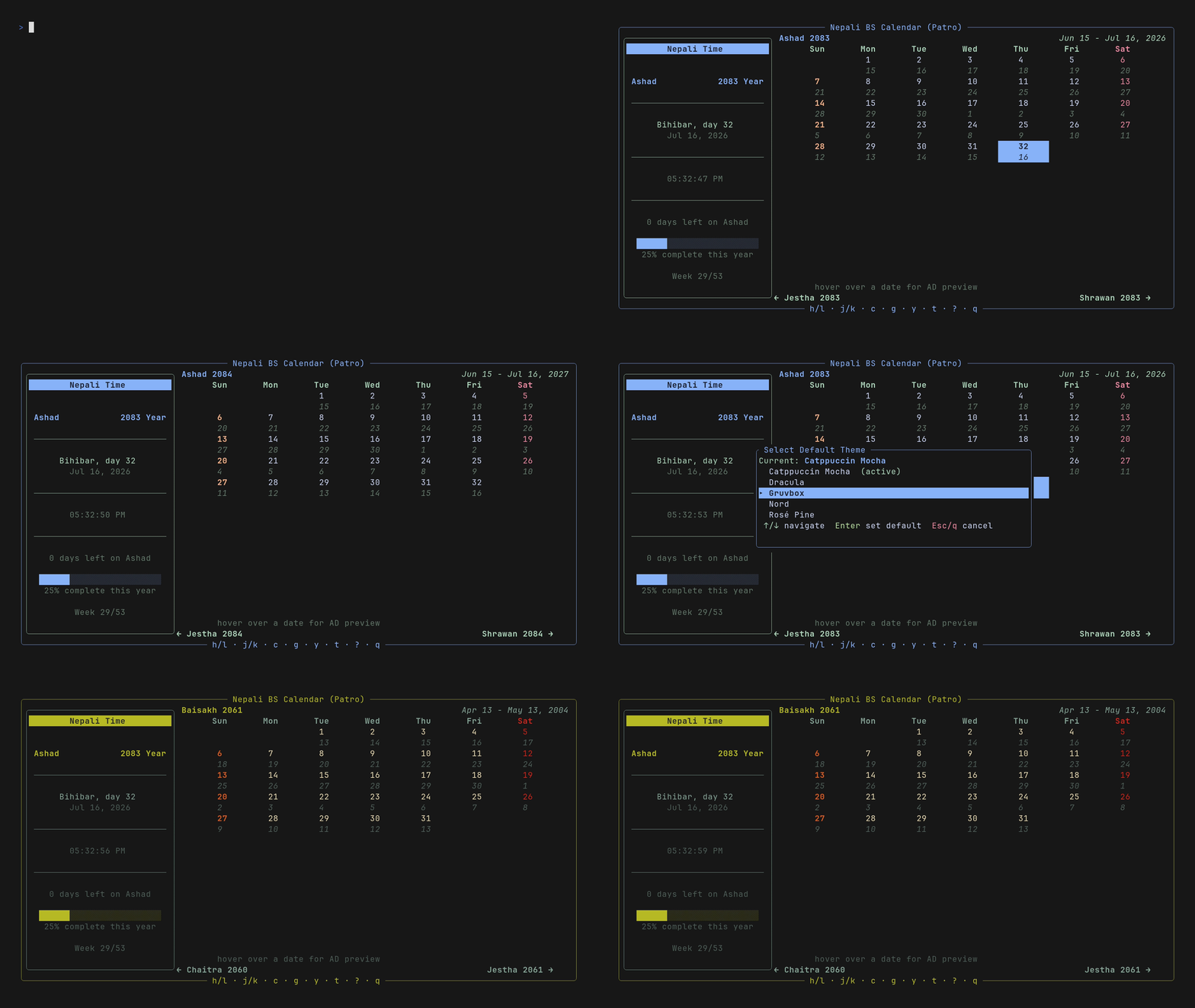
Preview by: vhs
curl -fsSL npltz.chalisehari.com.np/install | shThe install script auto-detects your platform and installs the correct binary.
Download the .exe from releases and add it to your PATH.
Downloads pre-built binaries instead of compiling:
cargo binstall npltzCompiles from source (slower):
cargo install npltzgit clone https://github.com/harilvfs/npltz.git
cd npltz
cargo build --release
./build/release/npltzCaution
npltz has not been tested on macOS or Windows. If you run into any issues, please open an issue.
npltz is a simple TUI built with ratatui. Keybinds are shown on screen to navigate, switch years, go to a specific year, change themes, and more.
Press ? inside the TUI to open the help screen with all keyboard shortcuts.
npltz --help
npltz convert 2024-04-13       # AD → BS
npltz convert-bs 2081-01-01    # BS → AD
npltz show                     # Today's date
npltz show --date 2024-04-13   # Convert a specific AD date to BS
npltz show --bs 2081-01-01     # Convert a specific BS date to AD
npltz show --json              # Output as JSON
npltz show --upcoming 10 # Print the next 10 BS dates (replace 10 with any number)npltz week # Show the current BS week (7 days)npltz export # Export current BS month to .ics
npltz export --month 2083-04 # Export a specific BS month
npltz export --count 3 # Export 3 months starting from current
npltz export -o calendar.ics # Custom output filenpltz --set-theme catppuccin-mocha
npltz --set-theme default # Reset to defaultAvailable themes: catppuccin-mocha, dracula, gruvbox, nord, rose-pine
Install shell completions and man page to system paths:
npltz setup
npltz setup --dry-run           # Preview without installing
This detects your platform (Linux, macOS, Termux) and installs to the correct directories. Not required on Windows.
npltz check-updatenpltz updateFollows the same installation method you originally used: cargo, cargo-binstall, or install script.
npltz uninstallRemoves the binary, completions, man pages, and config files. Selecting "cargo(c)" will also remove binaries installed by cargo binstall, since both install to ~/.cargo/bin/.
Generate shell completions manually:
npltz completions bash
npltz completions zsh
npltz completions fish
Generate man page from source:
git clone https://github.com/harilvfs/npltz.git
cd npltz
cargo xtask man-pages
The generated man page is at man/npltz.1.
npltz uses calendar data from the bikram-sambat project by medic. The data (calendar_data.json) is compiled into the binary at build time via include_str!(), so no external JSON files are needed at runtime. It contains day counts for each month of each BS year (1975-2090) and is used for converting AD (English) dates to BS (Bikram Sambat/Nepali) and vice versa, as well as knowing how many days to render for a given month in the TUI. Star his repo if you find it useful: https://github.com/medic/bikram-sambat.
See CONTRIBUTING.md for guidelines.
Join the Discord for discussions and yapping.
Special thanks to medic for the bikram-sambat library that provided the verified calendar data, and to other open-source devs maintaining the awesome crates and tools that npltz depends on. Appreciate that.
npltz is under the MIT license. See LICENSE for details.